What is Git?
Git can mean many things depending on Linus’s mood — “global information tracker” on a good day, or “goddamn idiotic truckload of sh*t” when it breaks. Created by Linus Torvalds in April 2005 over the span of around 7 days, Git is a distributed version control system built to simplify Linux kernel development (instead of mailing patches around). Fast forward to today, Git has become an indispensable tool for developers and software engineers worldwide, and GitHub—built on top of Git—is the largest code hosting platform on the planet.
What does Git actually do?
Let me tell you a story about someone I know. Whenever this person writes an essay, they create countless versions: draft 1, draft 2, final draft, really-final draft, absolutely-final-never-touch-again draft… Every time they need to revise, they copy the previous version and start over. Now imagine doing this with code. Fixing one bug might introduce three more. Halfway through a refactor, you realize you’ve gone down the wrong path—but which version was the “good” one? Manually copying and pasting every time is a recipe for chaos.
Git automates all of that. It tracks every version of your files, stores them efficiently, and adds handy features like diff (see what changed between versions) and log (see the history and dependencies of each commit).
Why rewrite Git?
I came across a video by ThePrimeagen where he talked about how Linus Torvalds wrote a working version of Git in just 7 days—no AI, no LLMs, nothing but C and sheer willpower. Meanwhile, today’s CS students have ChatGPT, Claude, and countless articles explaining Git’s internals. Rebuilding a Git clone should be doable in a month or two, and the process is a fantastic way to deeply understand how Git works under the hood—file system operations, SHA-1 hashing, object storage, and more.
At the time, I was also really interested in Rust, so I decided to write my Git implementation in Rust. Before diving in, I asked Claude to validate the idea:
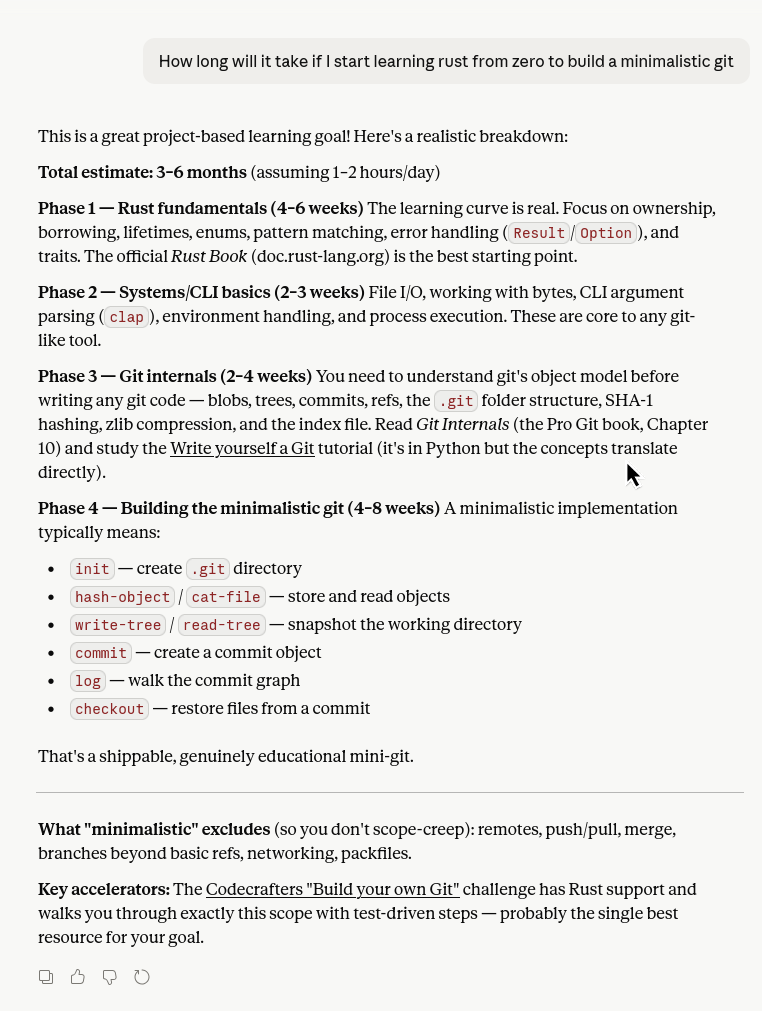
Verdict: totally feasible. Git doesn’t require complex lifetimes, the borrow checker, async, or any of Rust’s more intimidating features. The learning curve is manageable.
How Git works under the hood
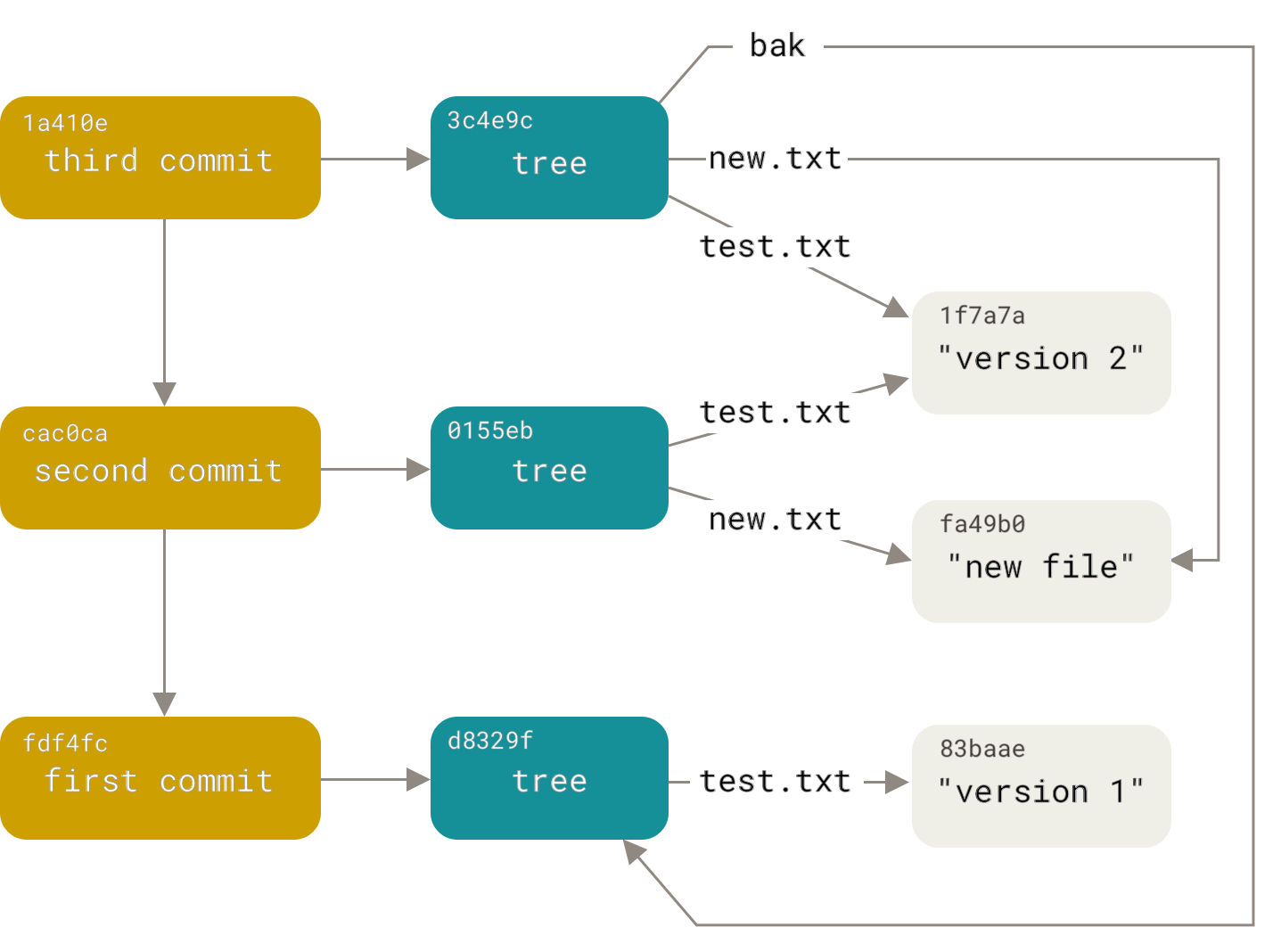
In Git, everything is an object stored inside .git/objects. There are four types of objects:
-
Blob: A blob represents a file. It stores the file content as a byte string in the format
blob <size>\0<content>, then uses SHA-1 to generate a unique hash that identifies that specific state of the file. Given the hash, Git can look up the object in.git/objectsand retrieve its content. The original filename is stored in the tree object that references this blob. -
Commit: This is the object most Git users interact with daily (
git commit). A commit consists of:- A tree representing the state of the repository
- A parent pointing to the previous commit (the first commit in a Git repository has no parent)
- An author
- A committer (early Git didn’t have remotes; developers emailed patches, so the coder and the committer weren’t always the same person)
- A commit message
-
Tag: A tag is a named reference to a specific commit, typically used to mark release versions (e.g., v1.0, v2.0). Tags can be lightweight or annotated (with author, date, and a message).
-
Tree: A tree contains multiple blobs (and other trees). It’s a complete snapshot of the project’s directory structure at a given point in time. Like blobs, trees also have their own SHA-1 hash.
Plumbing vs. Porcelain
When you use Git day-to-day—commit, push, add, reset, switch, pull—you’re using porcelain commands. These are high-level commands that don’t directly manipulate the underlying objects. Porcelain commands were added after Linus handed over maintenance to Junio Hamano, to make Git more user-friendly.
What Linus actually built in those legendary 7 days were the plumbing commands: cat-file, hash-object, ls-tree, log, init, etc. These commands operate directly on individual objects. And these are exactly the commands this series will implement.
Why Rust?
Linus wrote Git in C. C is low-level and requires manual memory management—which makes it blazingly fast, but prone to bugs like memory leaks and buffer overflows if the developer isn’t careful.
Other languages (Go, JavaScript, Python) use garbage collectors to automatically clean up memory at runtime. The trade-off is slower execution and unpredictable pauses.
Rust sits in a sweet spot: its borrow checker and lifetime system catch memory errors at compile time, giving you C-like speed with Go-like safety guarantees.
Or maybe I’ve just joined the Rust cult.
Either way, this Git project is a learning project to get comfortable with Rust. Let’s get started!
Setting up the Rust development environment
Standard setup (macOS / Linux)
If you’re on macOS or a common Linux distro (Debian, Red Hat, Arch, etc.), just run:
curl --proto '=https' --tlsv1.2 -sSf https://sh.rustup.rs | sh
You can also install via your system package manager (Homebrew, apt, dnf, pacman, etc.). See the Rust website or your distro’s wiki for details.
My setup (NixOS)
If you don’t use Nix or NixOS, feel free to skip this section.
I use NixOS as my daily driver. Its defining features are reproducibility and declarative configuration. It manages package versions and dependencies in /nix/store using a hash-based approach similar to Git’s SHA-1. Long story short: the standard Rust installation method doesn’t apply.
I set up my Rust dev environment using a Nix flake to create a dev shell, then use direnv to automatically activate it when I enter the project directory. If you’ve worked with JavaScript/Go/Rust/Python, think of flake.nix as package.json/go.mod/Cargo.toml/pyproject.toml. Flake also generates a flake.lock—like package-lock.json/go.sum/Cargo.lock/poetry.lock.
I don’t need to write a Rust dev flake from scratch—Nix comes with a Rust template. Just run:
nix flake init -t templates#rust
This generates the following flake.nix:
{
  inputs = {
    naersk.url = "github:nix-community/naersk/master";
    nixpkgs.url = "github:NixOS/nixpkgs/nixpkgs-unstable";
    utils.url = "github:numtide/flake-utils";
  };

  outputs =
    {
      self,
      nixpkgs,
      utils,
      naersk,
    }:
    utils.lib.eachDefaultSystem (
      system:
      let
        pkgs = import nixpkgs { inherit system; };
        naersk-lib = pkgs.callPackage naersk { };
      in
      {
        defaultPackage = naersk-lib.buildPackage ./.;
        devShell =
          with pkgs;
          mkShell {
            buildInputs = [
              cargo
              rustc
              rustfmt
              pre-commit
              rustPackages.clippy
            ];
            RUST_SRC_PATH = rustPlatform.rustLibSrc;
          };
      }
    );
}
Then, inside the directory containing flake.nix, run:
nix develop
This generates a flake.lock and sets up a development environment with cargo (Rust package manager), rustc (Rust compiler), rustfmt (formatter), and clippy (linter).
If you don’t want to type nix develop every time, use direnv to automate it. Create a .envrc file in the project root:
use flake
Now the dev shell activates automatically whenever you cd into the project.
Summary
This article covered:
- What Git is and why we need it
- My motivation for rewriting Git from scratch
- Git’s internal object model (Blob, Commit, Tag, Tree)
- Plumbing vs. Porcelain commands
- Why Rust is a great fit for this project
- Setting up the development environment (standard + NixOS)
Next article: let’s actually write some code!